

Agentic Coding Around the Clock: The Mac mini as a Ground Station
 by Johannes Hoppe
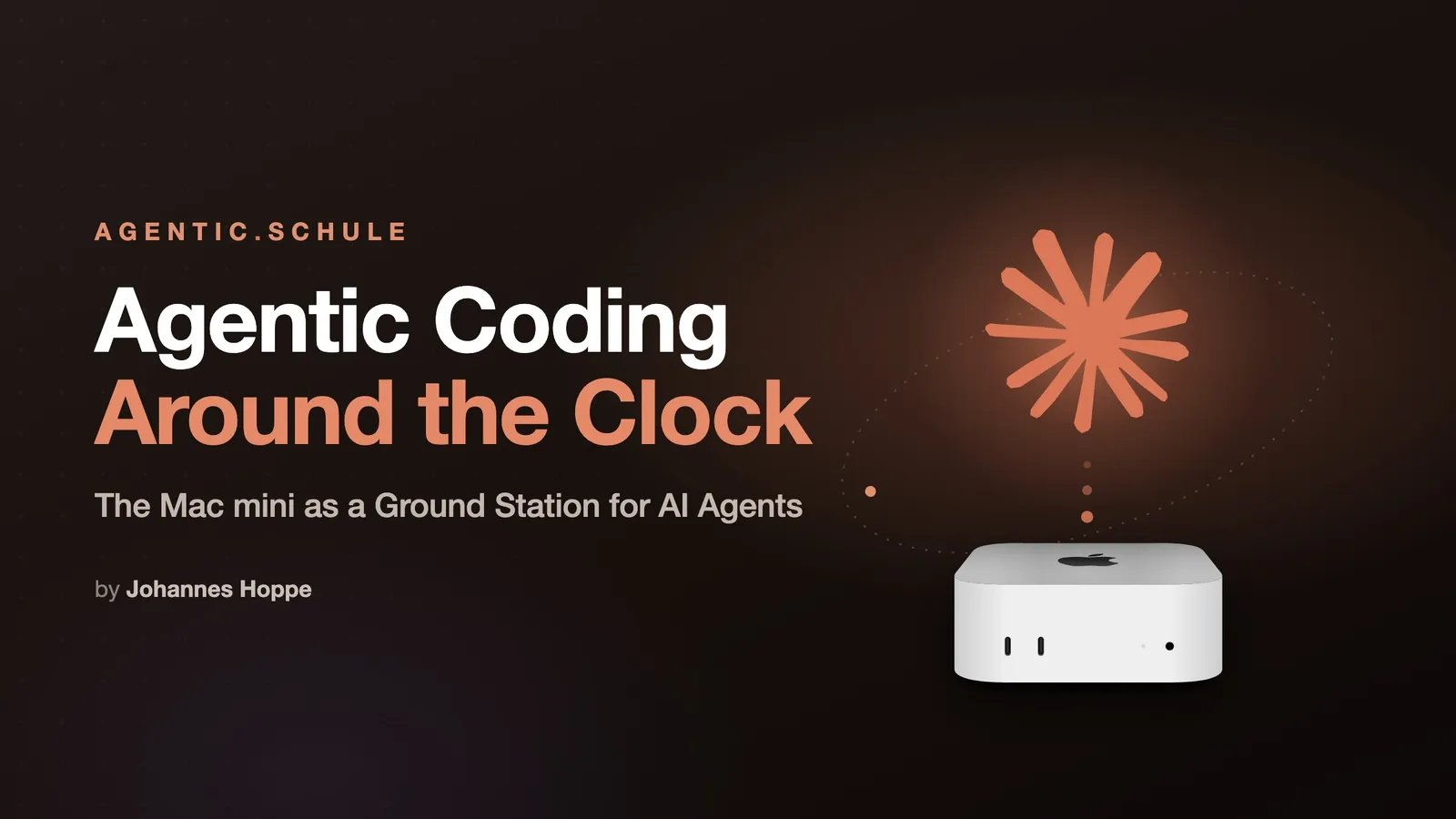
Agentic Coding works differently from a chat window: you set the direction, and the agent reads code, writes files, runs tests, and plans the next steps on its own. Such runs take time: minutes, sometimes hours. And that's exactly where things clash with a laptop that you fold shut, carry into a café, or send to sleep on the train.
That's why I turned a Mac mini into a "ground station": an always-running machine on which my agents keep working, while I watch and step in from the MacBook, the browser, or even my phone.
To be honest, the box was initially sitting on the shelf for a completely different reason: a current Mac mini M4 with 32 GB that I had actually bought to join the Clawdbot hype (today OpenClaw), controlling your own agent from your phone via Signal, that had something to it. It was cool exactly as long as that remote control was the main appeal. Since Claude Code can do the same out of the box with /remote-control, the Clawdbot has lost much of its charm for me, and the mini was getting a bit bored anyway (maybe more on that another time). So it got a new, permanent job.
This article shows the idea, the building blocks, and, in how-to boxes, how to build it yourself.
🛰️ The nickname for the setup was found quickly: Ground Control to Major Tom. The Mac mini is the ground station, the MacBook the mobile rocket that docks and lifts off again.
Contents
- The Problem: Agents Want to Run, I Want to Leave
- The Architecture: Ground Station and Mobile Mirror
- Sessions That Survive Connection Drops
- Docking In From Anywhere – All the Way to the Phone
- Everything Duplicated, Always in Sync
- Headless Services That Just Run
- Viewing the Agent's Work in the Browser
- A Day With the Ground Station
- When You Do Have to Work Locally
- A Principle: Never Tell the Agents About the Pink Elephant
- Conclusion: Is It Worth It?
The Problem: Agents Want to Run, I Want to Leave
A typical flow in agentic coding: I describe a refactoring, the agent gets going, works through a task list, runs tests, corrects itself. That's great, as long as the machine stays on and the session lives.
On the laptop, though, this is what happens:
- I fold it shut → the process goes to sleep, the agent freezes mid-run.
- In the evening I just want to quickly check from the couch how far it's gotten, and would have to boot the laptop back up.
The first problem can be worked around with caffeinate -s: the laptop simply stays on even with the lid closed and no power connected. That's exactly how I worked in winter and spring. But at summer temperatures the thing quickly gets far too hot, and I'd like to keep it for a good while longer. A laptop running hot for months is not a good permanent solution.
On top of that, there's a pattern I notice in myself: my best ideas rarely come at the desk, but on the go, while walking the dog, for example. That's exactly when I want to quickly toss the agent something or check on its progress, without first heading home to the laptop.
The solution is conceptually simple: The agent doesn't run on the device near me, but on a dedicated machine that never goes off and is always on. The device in my hand is just a window onto it.
Claude Code (and other tools) have basically already solved this: remote control from the phone. But that's not enough for me.
Which device that window is becomes a side note: the big 16-inch MacBook Pro at the desk, the small MacBook for the man-purse (lugging a giant machine around at conferences is uncool), or the phone. I want to stay flexible, and the ground station always stays the same.
The Architecture: Ground Station and Mobile Mirror
Two machines, one common denominator:
| Ground station | mobile mirror | |
|---|---|---|
| Device | Mac mini (Apple Silicon), always-on | MacBook Pro 16″ (Apple Silicon) |
| Role | main machine, the agents run here | rocket, docks from anywhere |
| User | same account, same home | same account, same home |
The crucial trick: Both machines use the same username and therefore the same home directory /Users/<name>. All paths, all repos, all keys and, as we'll see shortly, all agent sessions live under identical paths on both machines. That makes the transition seamless: what applies on the mini applies one-to-one on the MacBook Pro.
Strictly speaking, a third role joins in: devices that only work as a terminal, no dev environment of their own, no copy of the data, just a window into the ground station. That's the phone (via Termux) on the one hand, and on the other a small MacBook that I only bring along to mosh in – I simply call it "Mac Terminal". So the only full mirror is the big MacBook Pro: it can do both, work standalone or just serve as a window. Everything else is a pure terminal.
The mini sits without a monitor and without a keyboard among the rest of my home tech, next to the NAS, the router, the fat switch, and all the cabling you tend to have hanging on your network. It's reachable only over the network. That sounds like a limitation, but it's half the trick: what runs headless also runs when nobody is logged in.
Why a Mac mini of all things? For this role it's almost perfect: Apple Silicon delivers a lot of performance for the money, the box is tiny and fits in any corner, runs absolutely silently (I never hear the fan in everyday use), and sips so little power that running it 24/7 barely shows up on the bill. At idle it draws just a handful of watts. Exactly what you want from a machine that never turns off.
Sessions That Survive Connection Drops
Moving to a remote machine does, however, introduce a problem that never existed locally: the connection to it can drop. A Wi-Fi switch (office → train → home) is enough, and a normal SSH terminal is dead. The answer to that is tmux, a terminal multiplexer. Instead of starting my programs directly in the SSH session, they run inside tmux on the mini. If the connection drops, tmux, and everything in it, simply keeps running. On the next dock-in I reattach as if nothing had happened. Honestly, tmux is the game changer in this setup, only through it do the agent runs survive everything that can go wrong between me and the mini.
Two things make it comfortable:
- Auto-attach on login: every interactive login lands automatically in the same session (
main). I don't have to start anything by hand. tmux-continuumsaves the layout every 15 minutes and restores it after a reboot.
Important to understand: tmux saves the connection, not the power. A reboot still ends the running processes, but the layout and the windows come back, and the agent session can be resumed (more on that shortly).
🛠️ Build it yourself — auto-attach in
~/.zshrc# On interactive login, automatically attach to the tmux session 'main' if [[ -z "$TMUX" && -n "$SSH_CONNECTION" ]]; then tmux attach -t main 2>/dev/null || tmux new -s main fiThe most important reflex afterwards: detach with
Ctrl-b d(it keeps running!), never leave withexit, that kills the window.
Docking In From Anywhere – All the Way to the Phone
For access I rely entirely on mosh (Mobile Shell), at home as on the road, always the same command. That way I never have to think about or switch between ssh and mosh.
And mosh is genuinely great. It's the better SSH for everything that isn't on a fixed cable: if the network changes or briefly drops, the connection lives on roaming-proof, no frozen terminal, no "broken pipe". Typed characters appear instantly via local echo, even with lousy latency on the train. Network gone, network back, mosh just keeps going without reconnecting. Underneath it's a completely normal SSH login with key auth, no password.
And how does the phone even reach the box back home from the road? I started with the Fritzbox's WireGuard VPN; these days everything runs over Tailscale (a mesh VPN based on WireGuard). The reason: Tailscale also copes wonderfully with IPv6 and constantly changing connections, you reach the ground station reliably, no matter which network you're on. You really always get home.
And the pièce de résistance: From the phone. On Android the terminal app Termux runs, inside it mosh, inside that tmux, inside that the agent. That way I can reach the raw session from anywhere if need be.
I rarely use that direct terminal route, though. Most of the time I work more comfortably on the phone via the Remote Control feature of the Claude app. Getting in involves a little ritual: open a new tmux window (Ctrl-b c), start claude, release remote control with /rc, and name the session with /rename – only then do I switch to the app and keep typing there. Fiddly the first time, but you get used to it.
🛠️ Build it yourself — one short name, always mosh Set up an alias in
~/.ssh/config(mosh uses it just like ssh):Host mini HostName mini # LAN name or the mini's Tailscale name User youruserThen the same command works from anywhere:
mosh miniFrom outside, a mesh VPN like Tailscale makes sure
miniis always reachable, over IPv6 too.
📱 Phone trick (Termux): Termux has no Ctrl key. It lives on Volume-Down, so
Vol-Down + CforCtrl-C,Vol-Down + RforCtrl-R. The extra key row (ESC/CTRL/TAB/arrows) appears with a swipe up. Thank me later! 😄
Everything Duplicated, Always in Sync
Up to here I could access the mini from anywhere. But the real kicker is that my big MacBook Pro is not a mere terminal, but a true mirror: it has the same files and can take over the mini's work at any time, offline, too. Why does that matter to me? In a full power outage I don't want to be caught with my pants down, the big Mac and the mini are always in sync. As a nice side effect, this mirror feels like a permanent, second-by-second backup. Damn, that's good, with one important caveat I'll get to below.
This is handled by Syncthing, a peer-to-peer sync with no cloud in between. It mirrors bidirectionally:
~/Work– all projects and repos~/.claude– and here it gets interesting: the agent sessions themselves. Claude Code stores its conversation logs under~/.claude/projects/. If those are synced along, I can continue a session I started on the mini over on the MacBook – context, history, everything there.~/Shots– screenshots (handy, more on that in a moment)
⚠️ Definitely adjust
cleanupPeriodDays. By default Claude Code clears the conversation logs under~/.claude/projects/after 30 days. If you want to sync them, as here, and keep them as a reference, setcleanupPeriodDaysin~/.claude/settings.jsonmuch higher, in my case to 365. Otherwise a tidied-up machine deletes the history, and the sync dutifully carries that deletion over to the other one.
What gets synced is source code, not artifacts. node_modules, dist, build, target, and caches are in .stignore and get rebuilt per machine (npm ci, cargo build). Copying compiled binaries across machines breaks at library linking sooner or later anyway, better to rebuild cleanly.
🛠️ Build it yourself — exclude artifacts from the sync (
.stignore)node_modules dist build target .angular .next // add caches as neededRule of thumb: whatever an
npm ciorcargo buildrestores in seconds doesn't belong in the sync.
The screenshot trick as a bonus: because both Macs have the same home, a screenshot lives under the same path on both machines. I set the macOS screenshot folder to ~/Shots (defaults write com.apple.screencapture location ~/Shots), take a screenshot on the MacBook, and drag it into an agent session running remotely on the mini. The path exists there too thanks to sync, the agent reads the image even though it was created "on the other machine".
⚠️ The one discipline: "wait for green" before switching machines. If you switch machines while Syncthing is still transferring, you risk conflict files. Just check that the sync is
idle, then the transition is clean.
⚠️ And the promised caveat: a mirror is not a backup. A bidirectional sync also replicates deletions and broken files faithfully. The newer version wins, an empty one if need be. So what once really saved me was not the mirror but Syncthing's file versioning (
.stversions): before every overwrite it stores the old state with a timestamp. And because that history is local per device and is not synced along, in a pinch one machine still had what the other had already lost. That still does not replace a real off-device backup, but it has brought back a chat history I had already given up on.
Headless Services That Just Run
An agent is only as good as the environment it's allowed to work in. On the mini it should find a complete dev stack, database, Docker, browser, and that without anyone logging in at a screen. Because the mini has no logged-in desktop at all.
Three building blocks:
FileVault with remote unlock. The disk is encrypted (as it should be). After a restart the mini hangs in the pre-boot lock, before there's even a network. The trick: a second admin user with "SecureToken" is allowed to unlock the disk via SSH, after that the mini boots through and all services start. For planned restarts there's even sudo fdesetup authrestart: it unlocks automatically on reboot without locking yourself out. And pmset autorestart 1 makes sure the mini comes back up on its own after a power outage. For the very worst case, a JetKVM is also attached to the box, a small KVM-over-IP device that gives me picture and keyboard remotely, all the way down to the firmware/boot screen. Even if no operating system is running anymore or a reboot hangs at the pre-boot lock, I can still get in. Bottom line, the machine has several staggered rescue lines so I always get back to it, and yet everything stays encrypted, every single one of my devices.
Docker without Docker Desktop. Docker Desktop needs a GUI login, on a headless machine a deal-breaker. Instead, colima runs as a system service (LaunchDaemon) that starts at boot. Under the hood the same technology as Docker Desktop (Apple's Virtualization.framework), with Rosetta for Intel images, that is, for the old SQL Server that sadly was never ported to ARM. Thanks, Microsoft. So the agent gets a docker and docker compose that's simply there.
A real browser for the agent. Via a self-built headless Playwright MCP server, the agent can drive a real Chrome instance, open pages, click, fill in forms, take screenshots. "Headless" here means: no visible window, no GPU/display context needed (--disable-gpu), so it runs stably on the monitorless box.
🛠️ Build it yourself — colima as an autostart service Create the VM once (keeping it lean is enough for most cases):
colima start --vm-type vz --vz-rosetta --cpu 6 --memory 4 --disk 60To have it come up at boot without a login, set up a LaunchDaemon under
/Library/LaunchDaemons/that runscolima startas your user. Containers withrestart: alwaysin thedocker-compose.ymlthen start automatically along with it.
🛠️ Build it yourself — headless Playwright MCP for Claude Code
claude mcp add playwright --scope user -- \
  npx @playwright/mcp@latest --headless --browser chrome --isolated
--headless= no GUI needed ·--browser chrome= uses the installed system Chrome ·--isolated= fresh profile per run. On a monitorless machine, additionally--disable-gpu(via a config file), otherwise Chrome can fail at startup on the missing display context.
Viewing the Agent's Work in the Browser
The agent has rebuilt the frontend, now I want to see it, in a real browser, from my laptop or phone. But the dev server runs on the mini and dutifully listens only on localhost there.
My solution is an nginx reverse proxy on the mini that elegantly solves exactly one problem: it makes every local dev server visible on the network – without configuring anything per project. nginx binds the mini's LAN IP and rewrites the Host header to localhost. That way the host checks of modern dev servers (Angular, Vite) don't kick in, and I neither have to set --host 0.0.0.0 nor fiddle with allowedHosts. In the browser I simply type http://mac-mini.fritz.box:4200, done.
🛠️ Build it yourself — nginx dev proxy (core)
server {
  listen 192.168.178.50:4200;     # mini's LAN IP : dev port
  location / {
    proxy_pass http://127.0.0.1:$server_port$request_uri;
    proxy_set_header Host localhost:$server_port;   # <- crucial: 'localhost', not the IP!
    proxy_http_version 1.1;
    proxy_set_header Upgrade $http_upgrade;         # HMR WebSockets
    proxy_set_header Connection upgrade;
    # Fallback for dev servers that only listen on IPv6 (::1) (Node 24 / Angular 22):
    proxy_intercept_errors on;
    error_page 502 504 = @ipv6;
  }
  location @ipv6 { proxy_pass http://[::1]:$server_port$request_uri; proxy_set_header Host localhost:$server_port; }
}
Two gotchas from practice: the
Hostheader must saylocalhost(Vite rejects the bare IP with HTTP 400), and newer dev servers sometimes bindlocalhostonly on IPv6 (::1), hence the@ipv6fallback.
Some apps, however, call their backend hardcoded at http://localhost:PORT, from the browser, "localhost" then points at my device, not the mini, and the API calls run into nothing. For this special case there's no proxy magic, but a clean trick: an SSH tunnel that mirrors the ports in question to the mini. Then the app's localhost assumption holds again.
🛠️ Build it yourself — app with a hardcoded
localhostbackend# Tunnel frontend (4200) AND backend (5001) to the mini, then open via localhost ssh -N -L 4200:localhost:4200 -L 5001:localhost:5001 mini # Browser: http://localhost:4200 (not the hostname variant)From the browser's point of view everything is then
localhost, exactly as the app expects.
A Day With the Ground Station
What does it feel like day to day? Roughly like this:
Ungodly early, walking the dog. Half asleep, out with the dog, I read my email and see that some nightly build is red. Damn. "Claude, please fix it!" By the end of the loop, the build is green. First win of the day. Nice.
Morning at the desk. I dock in from the MacBook via mosh mini, land in tmux, and start an agent on a bigger task in some project, say, filling in test coverage. Off it goes. By the way, I still like working at the big monitor most: the diffs that Claude Code constantly shows give a good overview of what's happening, you feel like you're staying in control.
Midday on the move. I fold the MacBook shut and head off. The agent? Keeps running, it sits on the mini, not in the laptop. On the train I pull out the phone, open the Claude app, and keep working on the small screen: the agent has three of five modules done and is waiting for a decision – I answer the question with my thumb, it carries on. The sense of control is lower here, for the diff view you have to tap specifically, but you have to pick your poison.
Afternoon at the café. The MacBook is open again; thanks to sync, all files and the session history are up to date. I open the rebuilt frontend in the browser via the dev proxy and take a look, on a real screen, not in the terminal. And I'm sipping an iced matcha latte … Just kidding: I'm not in a café like some AI influencer. I've long been back in the basement, it's nice and cool there, and I have three monitors.
Evening on the couch. A quick glance from the phone to see whether CI has passed. It has. Merge.
Not once did the agent have to "start over" because the battery ran out. No folded-shut lid paused it. That's the real win: the work is decoupled from the device in my hand.
That was a deliberately simplified example. The real work only begins with many parallel sessions and just as many parallel git worktrees. Because a frontier model with all its sub-agents can be damn slow (commands like /simplify or /code-review with a good dose of /effort can run absurdly long), you parallelize almost inevitably. The constant context switching and the mental load involved shouldn't be underestimated, but that has nothing to do with the setup; you'd have the same on a single machine.
When You Do Have to Work Locally
Not every session can be run remotely, some only work locally. For me that's mainly wohnfunke.app: it can't run in the cable cabinet, because a "magical" USB cable has to connect my laptop physically to the caravan. (I call it the magic cable because you can't buy a cable like this off the shelf.) Without that connection I can't reach the CI-Bus and can't talk to the light control unit.
And here the procedure is really nice: I end the session on the mini with /exit, wait until the ~/.claude directory has finished syncing, and restart Claude on the laptop with --resume, and I'm right back in the same conversation. Then I simply say: "You're in the caravan now, connect to the light controller." Claude carries on obediently and from there uses my local peripherals.
The entire context stays intact, only the substrate switches from the mini to the laptop, the ground station hands the session over to the rocket, this time because the rocket has to be tethered to a cable.
A Principle: Never Tell the Agents About the Pink Elephant

A trick that crystallized over time: I keep exactly one session that knows the whole setup, my Ground Control session. It helps with problems, takes in the reports from the other sessions (for instance when something really did happen because of the change of workstation), and is the only one that knows the full truth.
All the normal working sessions know nothing about it. They don't notice that they were just running on machine A and are now on machine B, thanks to identical home and identical paths, everything looks exactly the same to them. And that's fully intentional.
Because: never tell the agents about the pink elephant. As soon as a session knows it's sitting on an exotic setup, it explains every little E2E problem with exactly that first – "must be the sync", "must be the proxy", "must be the remote machine". If it knows nothing about it, it looks for the cause where it usually sits: in the code. Only Ground Control gets to see the elephant.
Conclusion: Is It Worth It?
A Mac mini on a shelf, a bit of Unix craftsmanship, and suddenly you have a personal, always-running base for agentic work that you operate from anywhere. The building blocks are all standard and open source: tmux, mosh, Syncthing, colima, nginx. None of it is exotic; the special thing is the combination.
A side effect I had underestimated: a dedicated machine with no GUI and no other processes has noticeably more usable power. On my normal work machine, with the same amount of RAM, memory was constantly scraping the limit, endless swapping. Super annoying when you have to think about which process to kill now; you definitely don't want to interrupt the agent. On the mini that problem is simply gone.
And security went up almost as a side effect: on the ground station, only what's needed for work runs, I'm not logged in anywhere else there, not even my usual password manager is installed. That makes the whole Mac mini essentially a sandbox: whatever an agent could mess up there stays tightly contained.
I want to stay honest, too:
- It needs maintenance. Headless operation, FileVault remote unlock, autostart services, that's a one-time setup effort and occasional debugging.
- Security is a must, not a bonus. Access exclusively via the VPN, key auth, FileVault on. An always-on machine is only as trustworthy as its access.
- Reboots cost running processes. tmux saves the layout, not the state mid-run. For long runs I plan restarts accordingly.
And how does everyone else actually do it? Mostly not like this at all, they just run their agent (Claude Code, Cursor, GitHub Copilot, Antigravity) locally on the laptop. No basement, no server. For most people that's exactly right.
My setup targets the special case: always on, from anywhere. Commercially you buy that as a rented cloud dev environment (GitHub Codespaces, Coder, Google Cloud Workstations) or a hosted agent service (Devin, Google Jules), billed continuously per compute-hour or seat. For me it's just the Max subscription for Claude plus hardware I already had. And because the agent is reachable at any time, I've been ruthlessly maxing out its generous limits, which hardly works as well when you're tied to a physical location.
For me the gain clearly outweighs it: agents that keep working while I live, move around, switch devices. The ground station stands, the rocket docks and lifts off. Ground Control to Major Tom, and the ground contact never drops.
By the way: while writing this article, I had the song stuck in my head the whole time. Here you go, your new earworm:
If the player doesn't load: watch directly on YouTube.
Questions, feedback, your own tinkering? Bring it on, I'm happy to hear from you. And if there's enough interest, I'll make the Ground Control repo with the complete configuration public. One word from you is enough.
Curious about agentic work in practice? In the workshops at agentic.schule and angular.schule we show how modern AI agents are changing everyday development.
Keywords:Agentic CodingAI AgentClaude CodeMac miniAlways-ontmuxmoshSyncthingcolimanginxRemote DevelopmentHomelab
Suggestions? Feedback? Bugs? Please
About the author
 Johannes Hoppe is a trainer and consultant for modern web development. The workshops at angular.schule and agentic.schule focus on Angular in practice – and increasingly on agentic development with AI agents like Claude Code.