

Agentic Coding Around the Clock: Maxing Out Multiple Claude Max Plans Without Interruption
 by Johannes Hoppe
About to hit your weekly limit in Claude Code? Don't worry, there is a solution. Usage credits and /limit-reset are not it. This article shows how to set up your environment with two open source tools so that Claude Code switches between multiple Max subscriptions: automatically, shortly before the limit, without a manual /login and without Remote Control being interrupted.
Contents
- Weekly Limit Reached: What Helps and What Doesn't
- The Trick: Your Chats Live on Your Disk
- The Problem: Switching Between Accounts
- Tool 1 (
claude-swap): Setting Up Multiple Subscriptions to Switch - Trust Is Good, Forking Is Better
- Tool 2 (
cswap-pin): Remote Control: The Pin Holds the Session - Switching Automatically:
cswap autoas a Service - False Alarm: The Agents Suspect an Attack
- My Principle: Never Blindly Hand a Tool Your Keys
- Is This Allowed?
- The Fine Print: Limits and Trade-offs
- Conclusion
Weekly Limit Reached: What Helps and What Doesn't
The weekly limit is the worst productivity killer. Just when your agents are really getting going, everything stops in the middle of the week, and nothing moves until the reset. Let's fix that.
Check First: /usage
/usage shows how far along you are. As you can see in the command reference, it shows "session cost, plan usage limits, and activity stats" and breaks down what counts against your plan limits. Know this number before you pick one of the following paths.
Choose Model and Effort Deliberately
The cheapest lever comes before all others: not every task needs the strongest model at the highest effort, meaning how much reasoning the model puts into each answer. According to the documentation, your session's model also applies to the agents of your workflows unless something else is specified. Workflows are scripts that Claude Code uses to start many subagents in parallel. So tell Claude explicitly which agents start with which model and which effort. With a dynamic workflow, whose script Claude writes itself, one sentence to the main conversation is enough, for example "run the research agents with Sonnet at medium effort". Claude puts that into the workflow script and starts the agents accordingly. For simple work such as clicking through a web page, a small model at low effort is faster and cheaper. Expensive thinking should only be used where it is actually necessary. How to set model and effort is described in the article on 10 Claude Code commands, section /model. What workflows are and what a workflow with many subagents costs is explained in the article on Graph Engineering. That loops also use plenty of tokens is shown in the article on Loop Engineering.
No Usage Credits
The obvious route is the command /usage-credits, formerly /extra-usage. Alternatively, you can enable usage credits on claude.ai under Settings → Usage, optionally with automatic top-ups (Auto-reload). It lets you keep working past the limit for a fee. According to the Help Center, usage credits are billed "at standard API rates", on top of your subscription. Prepaid bundles "save up to 30%", but they remain API prices with only a small discount.
The subscription plays in a different league. When Anthropic introduced the weekly limits, it wrote itself: "one user consumed tens of thousands in model usage on a $200 plan" (X, July 28, 2025). If you regularly hit the weekly limit, in my view there is no scenario in which usage credits come out cheaper than another subscription.
No /limit-reset
Claude Code has a command called /limit-reset. It is barely documented: it is in no command reference and no changelog, and it is hidden in the command menu. Anthropic, on the other hand, actively promotes limit resets themselves on social media. My guess: partly because OpenAI offers the same thing. In Codex, earned resets can be redeemed directly via /usage since June (openai/codex#28154). And a free trip past "Go" does sound pretty tempting.
A look into the code of Claude Code shows two variants behind /limit-reset, each unlocked by a feature flag on the server:
- A weekly reset of the 5-hour limit. The notice in the program reads "reset your session limit now · uses weekly limit · 1/week", and the success message ends with "your weekly limit still applies". So the weekly limit stays untouched. On my setup, though, the 5-hour limit is rarely the problem. The killer is the weekly limit.
- An allowance of resets with an expiry date. It refills the limits ("{resets} left · use by {date}"). Who gets it and what magic goes into the calculation, as always, only Anthropic knows.
Whether you may use a reset is also decided by the server. The code contains rejection reasons, among them tier, tenure (account age), other_experiment and not_at_wall, meaning "not at the limit yet". None of this is shown. In each of these cases the message reads "A session-limit reset isn't available right now." On my setup, the first Max subscription accepted the command and the second one did not, without any reason given. Not very transparent. Most likely it was the account age, meaning tenure. Reports about resets refused without a reason are piling up: at least four open issues since early September (#93148, #95810, #97348, #97581), none with an answer from Anthropic. Users suspect an A/B test: "I think it's something they're A/B testing" (#93148).
Even a working reset only buys you breathing room once. If you hit the limit every week, you will be there again next week. That's a recipe for frustration.
The Ultimate Solution: Another Max Subscription
That leaves the path that actually holds up: a second Max subscription, or a third or fourth if needed. Each one brings its full allowance at the subscription price.
OpenAI is showing right now how quickly a provider can close the door: since September 10, it no longer accepts new customers for ChatGPT Pro $200 (Pro 20X), while existing subscribers keep their plan (OpenAI Help Center). Anthropic also distinguishes between new and existing customers. In April it tested a Pro plan without Claude Code on about 2% of new sign-ups, noting "Existing Pro and Max subscribers aren't affected" (X). And in September, the credit for the new cloud sessions only went to "existing subscribers" (X). If you are toying with the idea of another Max subscription, get it sooner rather than later. Otherwise you might end up annoyed that you are not an existing customer.
But how do you switch between the subscriptions without the work standing still? The answer is on your disk.
The Trick: Your Chats Live on Your Disk
One of the big advantages of Claude Code: your chats live on your disk. Claude Code stores them in plain text under ~/.claude/projects/. A look inside is worth it: every session is a JSONL file with every prompt, every answer and every tool call including its result. Codex does the same and keeps its sessions under ~/.codex. Google's agent IDE Antigravity also has a local data directory under ~/.gemini/antigravity/. Claude Code on the web is different: there the session runs "on cloud infrastructure instead of on your machine" (documentation). Because I insist on having my chats on my own disk at all times, any cloud-only offering is a showstopper for me.
So account and chats are separate. You can sign out, sign back in and keep working with your chats, even with a different account. That is the trick everything else builds on.
💡 Tip: Back up your chats, they are your capital. By default Claude Code deletes them after 30 days. And a hard shutdown can destroy a chat. I know that from my own experience. I described how I back up my chat histories and raise
cleanupPeriodDaysin part 1 of this series.
The Problem: Switching Between Accounts
Since the chats are local anyway, all it takes to switch is a fresh sign-in. And that is exactly how it should be. By hand, though, it is tedious: /logout, then /login, then the OAuth flow in the browser. Until then, the work stands still. A bit cumbersome, but you can live with it if you have to.
It gets really nasty, though, the moment the limit hits in the middle of the work. On my setup the agents run around the clock on a Mac mini that never shuts down. How it is set up is described in part 1. When an account reaches its limit, running subagents stop with "Agent terminated early due to an API error: You've hit your session limit". According to numerous issue reports and painful experience of my own, often only a fragment of their work comes back, and it has to be started again (#94770, #74162, #78231). In #94222 a user analyzed six of their sessions: "449 subagents were cut off, only 8 were resumed by id […] The other 438 were re-dispatched from scratch."
This is especially annoying when you fan the work out to many subagents. If you start many agents in parallel with an expensive model, exactly that workflow pushes your account to the limit. If it breaks off, the work is gone, and a second pass costs the tokens all over again. So before every large workflow, decide which model and which effort the agents start with, as described above under "Choose Model and Effort Deliberately". Why such a workflow costs a lot is explained in the article on Graph Engineering.
On top of that, an account switch cuts the Remote Control connection that lets me watch from my phone. The same goes for artifacts, the pages Claude Code publishes on claude.ai. They belong to an account as well.
So the goal is: switch to another subscription automatically before the limit, without signing out, ideally without cancelled agents and without losing remote control. That takes two tools: one that swaps the sign-in while running, and one that keeps Remote Control on one account while doing so.
Tool 1 (claude-swap): Setting Up Multiple Subscriptions to Switch
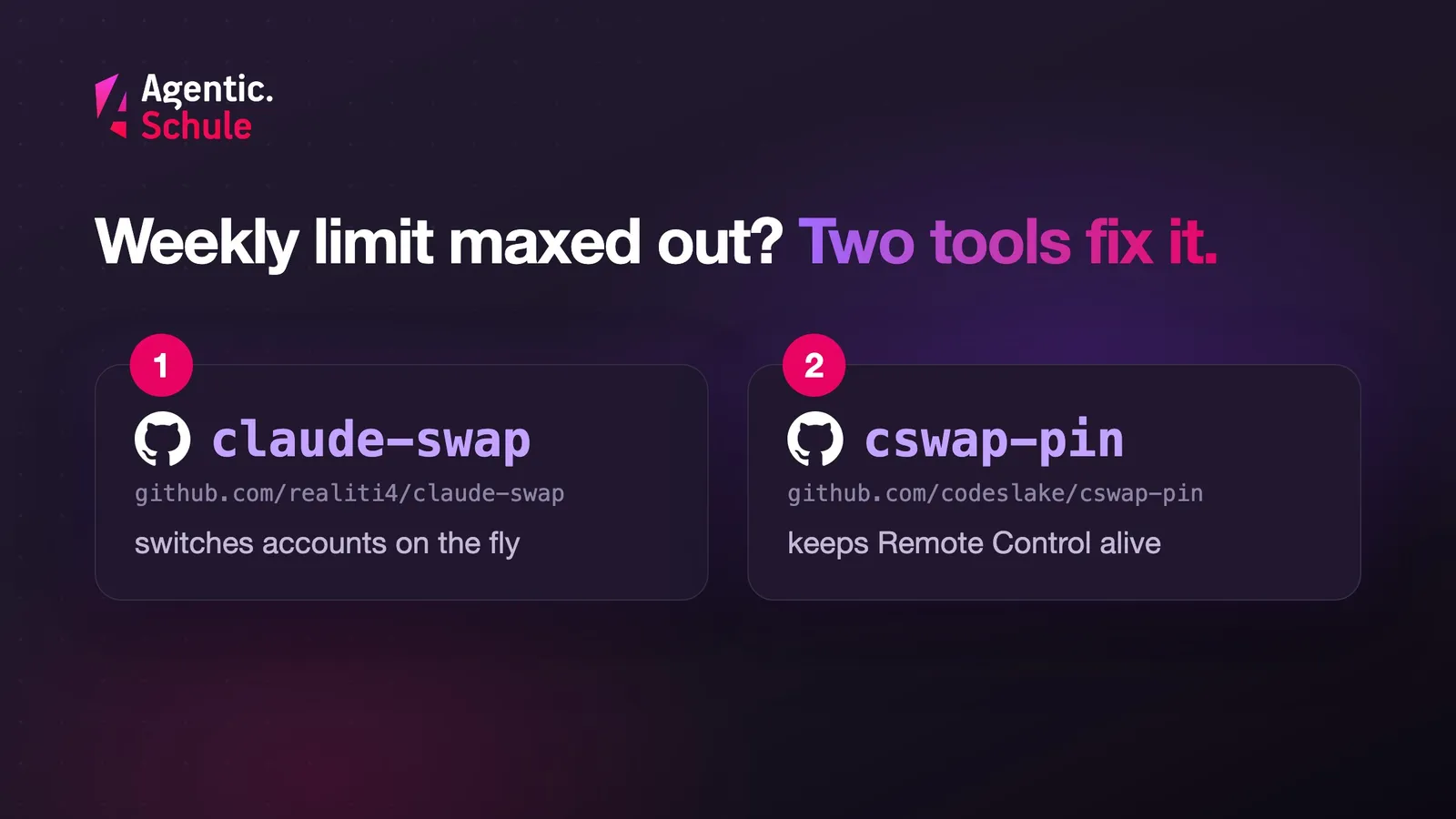
The first tool is the open source tool claude-swap (command: cswap, MIT license). It relies on a detail of Claude Code: Claude Code re-reads its credentials when they change. If they live in a file, the next message already goes through the new account. That is how the claude-swap documentation describes it, and that is how it behaves on my mini. There the credentials live in a file at ~/.claude/.credentials.json. Otherwise, on macOS, they live in the Keychain, if it is set up. According to the same source, Claude Code caches them there for about 30 seconds, after which the switch takes effect as well.
cswap stores the credentials for each account and swaps them on demand, without a restart and without /login. It is not limited to two accounts. I work with two; the principle stays the same with three or four. How to install it safely is shown in the next section. You sign in once per subscription. The complete flow:
# Once: register the accounts
# 1. Claude Code is signed in with the first account
cswap add            # add account 1 as slot 1
# 2. In Claude Code: /login with the second account (no /logout before!)
cswap add            # add account 2 as slot 2
# 3. In Claude Code: /login with the third account
cswap add            # add account 3 as slot 3

# Then, day to day
cswap list           # usage (5h/7d) of all accounts
cswap switch 2       # from the next message on, everything runs on account 2
cswap switch         # rotate to the next account
cswap switch 1       # back to account 1
Important: all sessions share one global credential file. A cswap switch therefore moves all sessions to the other subscription. That is intended when one account hits its weekly limit.
⚠️ Warning: Do not run
/logoutbefore the second/login. According to theclaude-swapinstructions, Claude Code may revoke the refresh token of the account you are leaving. Claude Code uses this token to renew expired credentials; without it, the saved slot would be worthless.
The browser login per account is the only step you have to do manually.
Trust Is Good, Forking Is Better
cswap handles your OAuth tokens, the keys to your accounts. The author of the tool is surely a very trustworthy person. Still, I trust nobody here. A pipx install claude-swap straight from PyPI is not getting anywhere near my machine. I'd rather check the code, fork it and build everything myself. It's worth the time.
The most important question: where does network traffic go? The source code only contains Anthropic's own endpoints (api.anthropic.com, platform.claude.com) and a version check against PyPI. No third-party domain, no telemetry. The package is published through PyPI's Trusted Publishing from a GitHub workflow, and the repo comes with an extensive test suite. So far, so trustworthy.
You should not pull a tool that holds your keys via auto-update from someone else's pipeline. The bigger risk is future releases: a malicious update could slip in as a casual upgrade. That is a classic supply chain attack. What that looks like is shown in the article about malicious AI skills. So take the clean route:
# fork into your own account and check out the reviewed state locally
gh repo fork realiti4/claude-swap --clone
# ... read the code, then install from your own copy:
pipx install ./claude-swap
# updates only on purpose: fetch upstream, read the diff, reinstall
cswap comes with its own update command, cswap upgrade, which fetches the latest version from PyPI. Personally, I would not use it. That way, only code I have read runs on my machine.
Tool 2 (cswap-pin): Remote Control: The Pin Holds the Session
That leaves the second problem: the account switch cuts remote control. The reason is structural. A Remote Control session belongs to the account whose token created it. Swap the account, and phone and web lose the session, while orphaned sessions pile up on the old account (as described in the cswap-pin README). The same goes for artifacts: after a switch, republishing fails.
The solution is called cswap-pin and comes from Junyong Lee. It is a local proxy that does exactly one thing: on Anthropic's routes for Remote Control and artifacts it inserts the token of the pinned account. The inference via /v1/messages passes through unchanged. It keeps following the switch. Remote Control and artifacts stay with the pinned account; the work is billed to the active one.
cswap pin 1 # Remote Control and artifacts stay on account 1
At the time of this article, the integration into cswap is an open pull request in the upstream project. Until it is merged, cswap pin only exists if you merge the PR into your fork of claude-swap. Ideally, install the proxy itself from a fork of your own as well and inject it into the same environment:
cd claude-swap
gh pr checkout 210 --repo realiti4/claude-swap   # bring the pull request into the fork
pipx install --force .
cd ..
gh repo fork codeslake/cswap-pin --clone
pipx inject claude-swap ./cswap-pin
Technically, the proxy is a man-in-the-middle (MITM). It decrypts the HTTPS connection to Anthropic locally. For that it uses its own Certificate Authority (CA). It is not installed system-wide. cswap pin writes the proxy address and the CA into the env block of ~/.claude.json, and Claude Code applies them to its own process. That is the same technique corporate proxies use, and Claude Code supports it officially via HTTPS_PROXY and NODE_EXTRA_CA_CERTS. That means the proxy sees the Anthropic traffic in plain text. Fork and read this one too before it is allowed on the box. For a tool that sees your traffic, that is mandatory. In the end, there are ideally two forks in your account.
Switching Automatically: cswap auto as a Service
Almost there! The hardest part is done, now we need a bit of comfort. Switching by hand is nice. But the whole point is that things keep going without me stepping in. That is what cswap auto is for: it checks the usage and switches on its own to the subscription with the most headroom as soon as the active account reaches a threshold. By default it sits at 90 percent of the 5-hour or weekly window.
With --once the command runs exactly one pass and exits. The tool stores the minimum pause between two switches (cooldown) and its state on disk, which is why a single pass per minute is enough. That fits launchd, the service manager of macOS, and no terminal has to stay open. On my machine it runs every minute as a LaunchDaemon, a system service that starts without anyone logging in. The UserName key is important: without it, a LaunchDaemon runs as root and swaps the credentials in the wrong home directory. The file belongs in /Library/LaunchDaemons/ and is loaded with sudo launchctl bootstrap system /Library/LaunchDaemons/cswap-auto.plist. In the example, YOUR-NAME stands for your user name. It only shows the relevant keys inside <dict>.
<key>Label</key>
<string>cswap-auto</string>
<key>ProgramArguments</key>
<array>
  <string>/Users/YOUR-NAME/.local/bin/cswap</string>
  <string>auto</string>
  <string>--once</string>
  <string>--json</string>
</array>
<key>UserName</key>
<string>YOUR-NAME</string>
<key>StartInterval</key>
<integer>60</integer>
In daily use the result is unspectacular, and that is how it should be. At some point account 1 reaches the threshold, the service switches to the practically untouched account 2, and I keep working. I don't notice a thing. Damn good stuff! :D
False Alarm: The Agents Suspect an Attack
My agents were in the middle of a /deep-research when they raised the alarm. They considered the fetched content tampered with and cited the proxy environment variables and the foreign CA as evidence of an attack.
In my opinion, that is not a bug but commendable behavior. My subagents were suspicious because a strange proxy showed up. Wild that software can react like this these days. The agents had no way of knowing where the proxy came from. From their point of view a man-in-the-middle with its own CA was sitting there, and that could have been malware. That is how a vigilant reviewer should react.
Were they right? That can be checked. A request to example.com through the proxy comes back with the real public certificate. You can check this with curl -v --proxy http://127.0.0.1:$(cswap pin --get_port) https://example.com and a look at the certificate's issuer. Had the proxy been reading along, it would have been its own. The source code confirms it as well: the proxy decrypts only api.anthropic.com. It passes every other host through as a blind tunnel.
So the traffic is fine in principle. But also completely unnecessary: why should the agents use the proxy for every request? The alarm revealed a technical wart that we want to fix: if you set the proxy variables and the CA for Claude Code, every shell an agent starts inherits them. Every command then sees the proxy, and every download goes through it. But the pin only needs the Claude process itself. So remove the variables from every agent shell with a single line in ~/.zshenv:
unset HTTPS_PROXY https_proxy HTTP_PROXY http_proxy ALL_PROXY all_proxy NODE_EXTRA_CA_CERTS
This works when your agents' shell commands run through zsh, because zsh reads ~/.zshenv on every invocation. The Claude process keeps the pin; the agents no longer see it in their shells. The line also applies in your own terminals, though. If you need a corporate proxy, put its values into ~/.zshenv instead of unset, for example export HTTPS_PROXY=http://proxy.example.com:8080. That way the agent shells use the corporate proxy instead of the pin proxy.
And here a principle from part 1 returns: never tell the agents about the pink elephant. Once a session knows about an exotic setup, it explains every problem with that first. So don't explain to the agents that the proxy is harmless. Rather make sure they don't see it in their shells in the first place. Then only you know about the pink elephant.
My Principle: Never Blindly Hand a Tool Your Keys
A tool that touches your access keys or your traffic is at the very top of my list of software I fundamentally don't trust. Sorry, but not sorry. Fork it, read the code, install from your copy and only update on purpose.
That is how I handle every tool that wants access to sensitive data. In an agentic setup, distrust is hygiene. I have to admit, though: I had already accepted the MITM proxy for myself out of necessity. Had the agents not refused, it would probably still be running for every request today.
That leaves the question of whether Anthropic allows a setup like this at all.
Is This Allowed?
The setup goes right up to the limits of Anthropic's rules, but in my reading stays within them. It only hooks in where Claude Code openly supports it:
- Claude Code stays unmodified. No patch, no tampering with the program. Even for vendors who build Claude Code into their own products, Anthropic draws the line here: "The Claude Code binary must not be modified." (Claude Code docs, "Legal and compliance")
- Every sign-in goes through Anthropic's own login. That is what the Claude Code docs require on the page "Legal and compliance": "sign-in to a Claude account must complete through Anthropic's own flow". After that,
cswaponly keeps the tokens that Claude Code stores on disk anyway. It automates what you could do by hand: sign in again and keep working. - The proxy uses an official path. According to the documentation, Claude Code explicitly supports TLS-inspection proxies, via
HTTPS_PROXYand a custom CA. The proxy sits outside Claude Code and only changes the traffic. - These are exclusively my own subscriptions. Nobody else gets access. The Consumer Terms clearly forbid sharing accounts: "You may not share your Account login information […] or make your Account available to anyone else."
The Fine Print: Limits and Trade-offs
But for all the joy about the seamless switch: there are a few things you should know.
- There is no explicit approval. The rule for third-party developers is broadly worded: "developers may not collect, store, or intermediate Claude.ai credentials or session tokens" (Claude Code docs, "Legal and compliance"). Taken literally, it would hit any tool that stores a token. My reading is that it targets products routing other users through their subscriptions. Anthropic reserves the right to enforce measures "without prior notice".
- More accounts don't mean unlimited. Once all accounts are at the threshold,
cswap autofinds no target and reports it with exit code 3 ("no viable target / all exhausted"), according tocswap auto --help. And every additional subscription costs its full price. - The pin depends on an open pull request. Until PR #210 is merged,
cswap pinonly runs from your own fork. But I like forking anyway. - Your own forks need maintenance. With every upstream update: read the diff, reinstall. Or ignore it, because after all: never change a running system.
- The proxy sees the Anthropic traffic in plain text. That is true of every TLS-inspection proxy, including the ones in corporate networks. As far as I can tell, neither tool contains malicious code. But better not trust me on that; do your own checks, ideally with Claude. :-)
Conclusion
Multiple Max subscriptions, an account switch while running, automatically before a limit kicks in, and Remote Control survives the switch. No more /logout and /login. And I haven't had a single cancelled agent in weeks.
Yes, it is damn expensive. But for me the gain clearly outweighs the cost. With two 20x subscriptions I hardly ever hit a weekly limit, and I never have to look at usage credits.
If you hit the limit yourself: check with /usage how far along you are, and with cswap list how much headroom all accounts have together. Before every large workflow, decide which model and which effort your agents start with. And read the code before you give it your keys.
Questions, feedback, your own tinkering? Bring it on. And how the Mac mini this all runs on is set up is described in part 1.
Thanks to realiti4 for claude-swap and to Junyong Lee for cswap-pin. Both projects are open, properly tested and easy to read. Recommended!
Curious about agentic work in practice? In the workshops at agentic.schule and angular.schule we show how modern AI agents are changing everyday development.
Keywords:Agentic CodingAI AgentClaude CodeClaude MaxAccount SwitchRate LimitRemote ControlSupply ChainMITM Proxy
Suggestions? Feedback? Bugs? Please
About the author
 Johannes Hoppe is a trainer and consultant for modern web development. The workshops at angular.schule and agentic.schule focus on Angular in practice – and increasingly on agentic development with AI agents like Claude Code.